Selected work / Malera POS
DUO Bar
I built the point-of-sale app used at DUO Bar. Staff select a table, take an order and close the bill, even without an internet connection.
- Role
- Application development
- Product
- Malera POS
01 / Behind the counter
A shift at DUO Bar
These photos show separate examples from DUO Bar rather than one recorded order.

At the bar
Malera POS on the counter at DUO Bar.
View 4K photo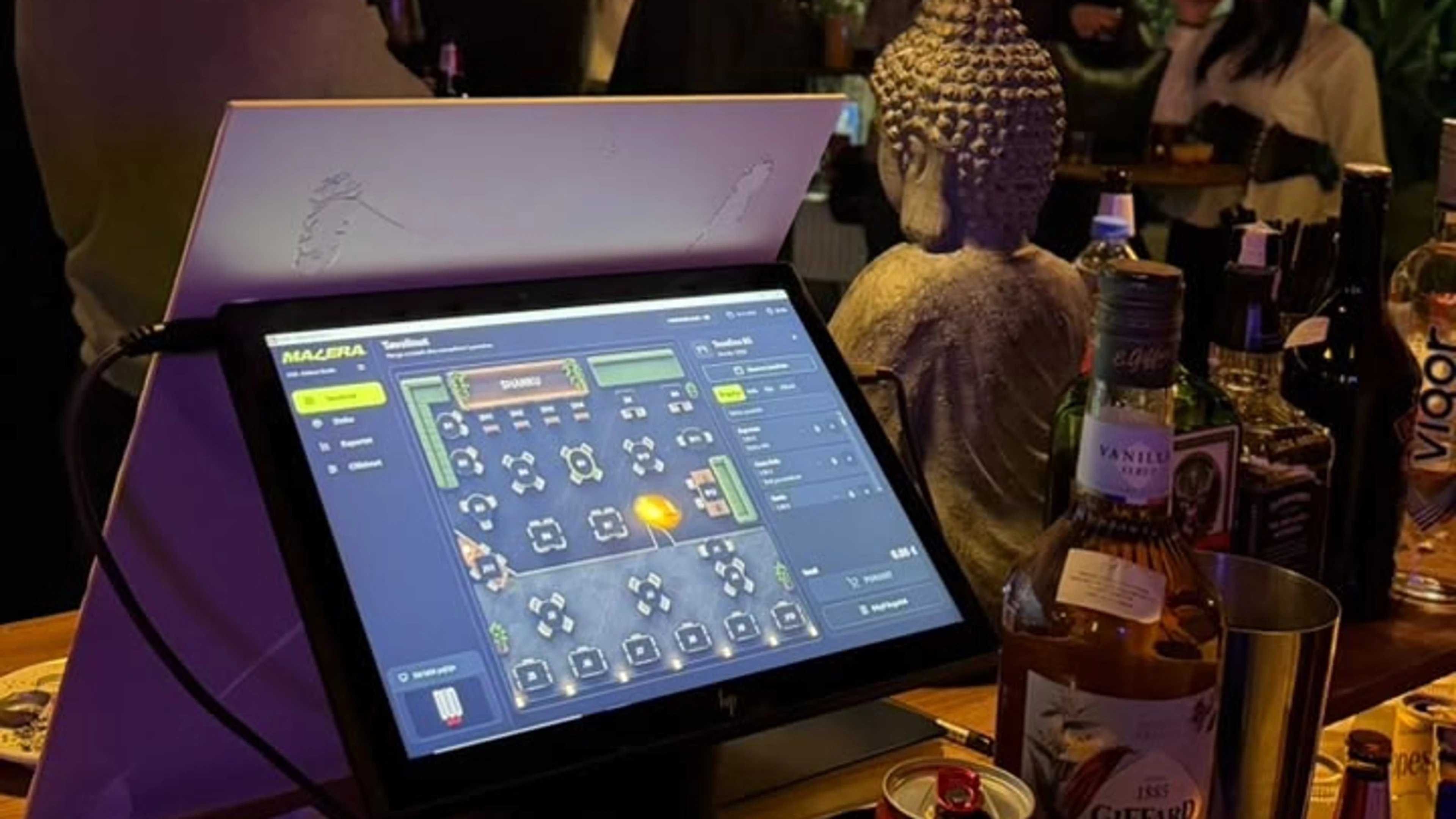
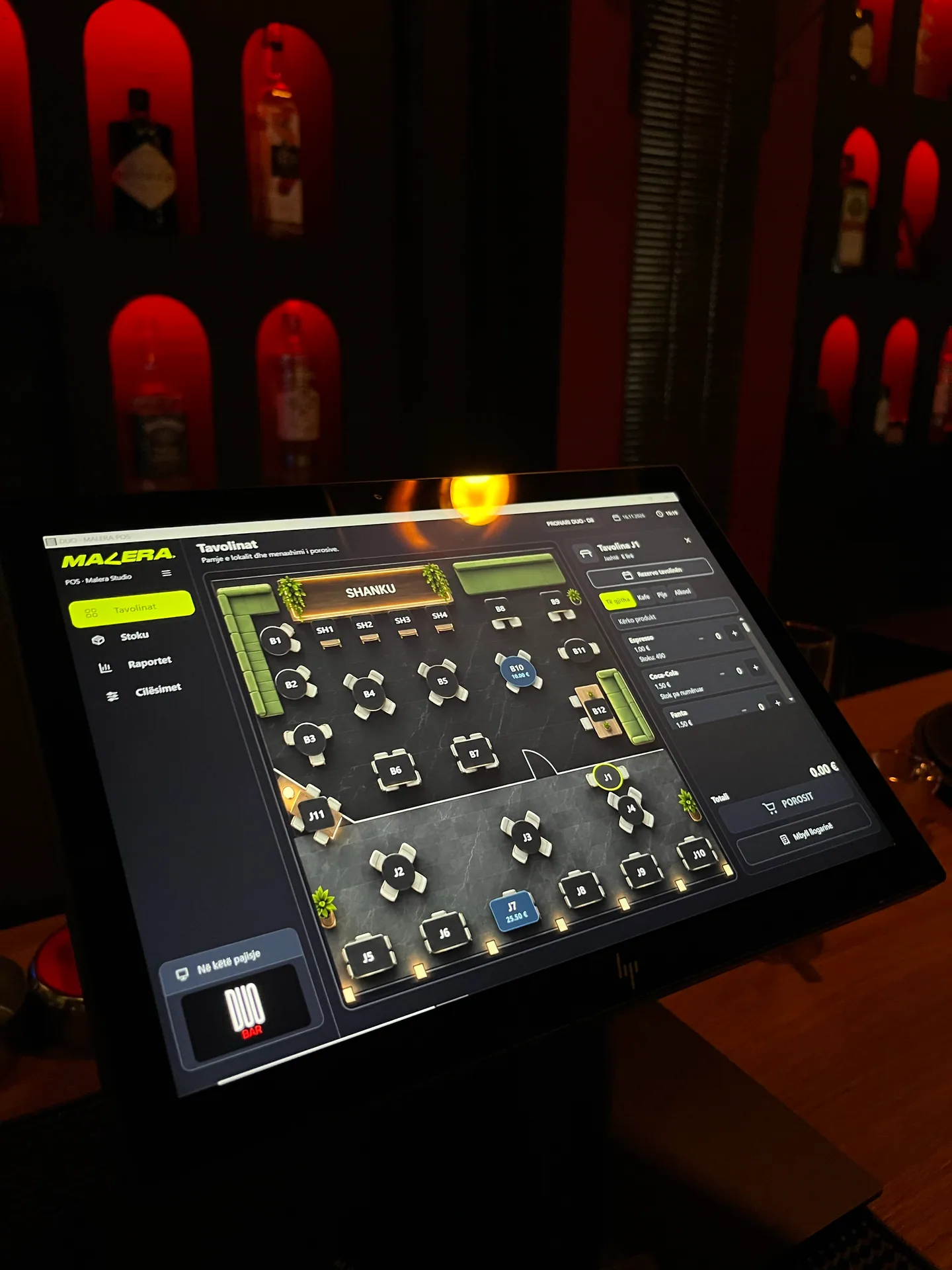
01 Select a table
Staff tap a table on the visual floor plan to open its order. I kept the floor plan and order panel side by side so staff can still see the room.
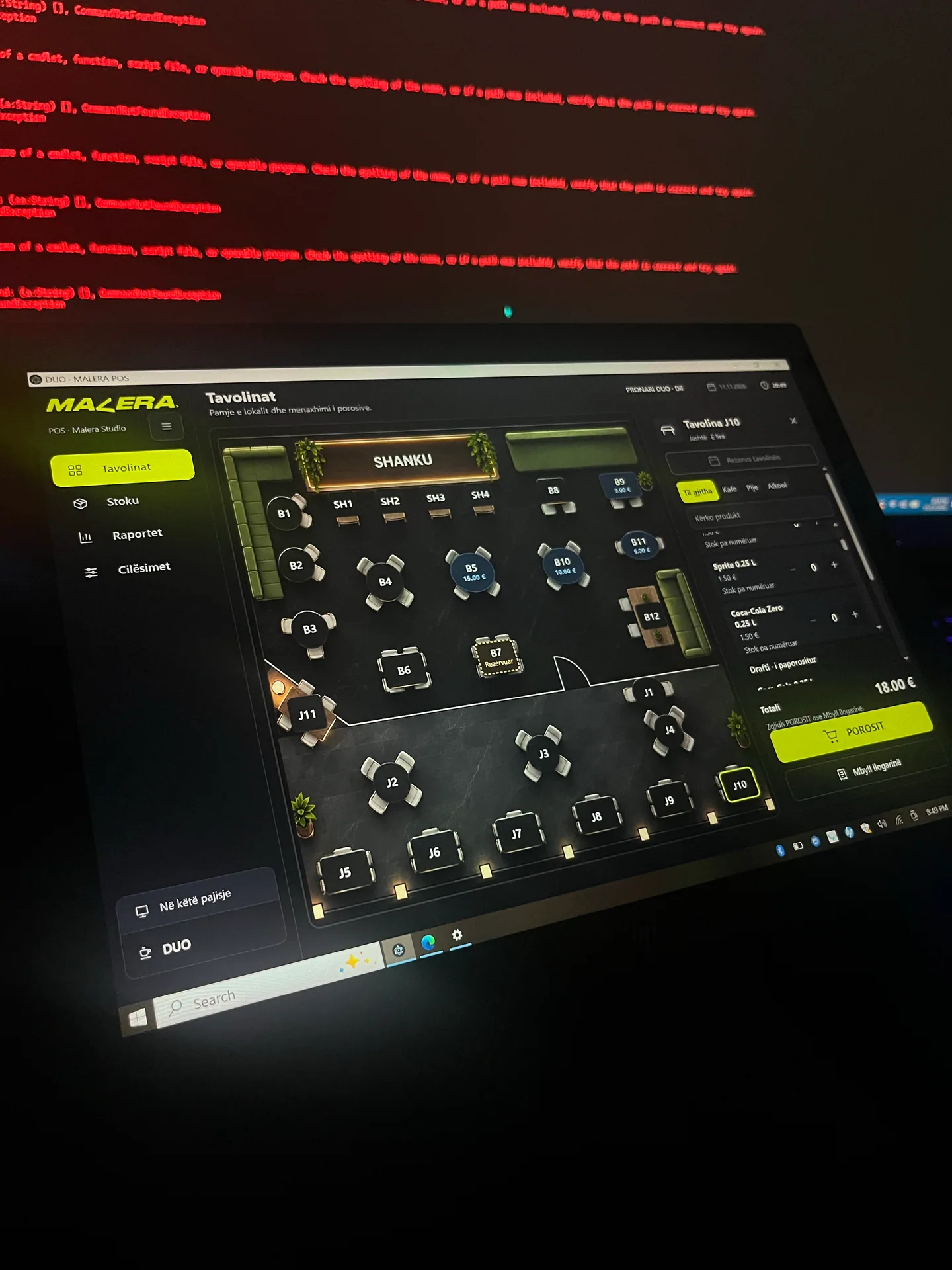
02 Add to the order
Staff add products to the selected table and review its order in the same view.
End of the order
03 Close the bill
Staff close the bill for the selected table in Malera POS. The owner can check reports for sales, expenses and profit.
02 / How it works
Built to run offline.
- Local operation
- The app works without internet, stores data locally in SQLite and receives updates through GitHub.
- Products and stock
- The app manages products, prices and inventory. Coffee stock is deducted automatically as orders are placed.
- Staff access
- The owner and employees sign in with PINs and get access based on their roles.
03 / Malera POS
Interested in Malera POS for your venue?
Malera POS is available to bars and restaurants by monthly subscription.